Coordinator Setup
The labgrid coordinator provides centralized management of hardware resources across multiple exporter hosts. The labgrid-plugins project includes a Docker-based deployment of the coordinator, a REST/WebSocket API bridge, and a web dashboard.
Architecture
        graph LR
    subgraph Docker ["Docker Compose"]
        C[Coordinator<br/>gRPC :20408]
        A[API Server<br/>FastAPI :8000]
        W[Web Dashboard<br/>nginx :3000]
    end

    E1[Exporter Host 1] -->|gRPC ExporterStream| C
    E2[Exporter Host 2] -->|gRPC ExporterStream| C
    A -->|gRPC ClientStream| C
    W -->|/api proxy| A
    B[Browser] -->|HTTP + WebSocket| W
The stack consists of three Docker services:
Coordinator: The labgrid coordinator gRPC server. Tracks places, resources, exporters, and reservations. Persists state to a Docker volume.
API: A FastAPI server that connects to the coordinator as a gRPC client, caches all state in memory, and exposes a REST + WebSocket API.
Web: An nginx server hosting the React dashboard and proxying
/apirequests to the API service.
Exporters run on physical hosts (not in Docker) and connect to the coordinator over the network.
Prerequisites
Docker and Docker Compose
Network connectivity between exporter hosts and the coordinator
Quick Start
cd coordinator
docker compose up -d
This starts all three services:
Coordinator at
localhost:20408API at
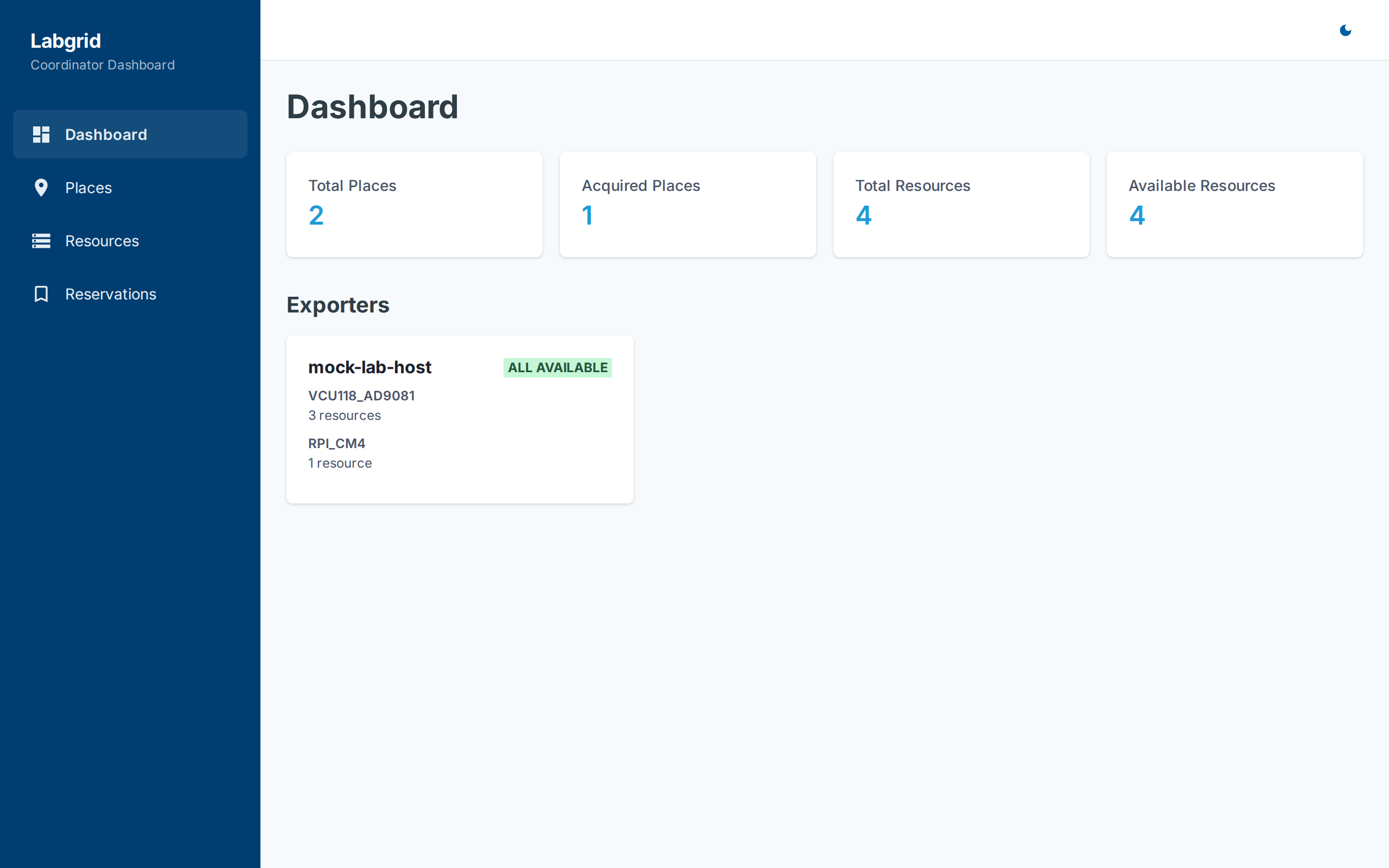
localhost:8000Web dashboard at
http://localhost:3000
Configuration
Copy .env.example to .env and adjust ports if needed:
# coordinator/.env
LG_COORDINATOR_PORT=20408
API_PORT=8000
WEB_PORT=3000
Connecting Exporters
From any host with labgrid and the ADI plugins installed:
labgrid-exporter -c <coordinator-host>:20408 -n my-exporter resources.yaml
Or set the environment variable:
export LG_COORDINATOR=<coordinator-host>:20408
labgrid-exporter -n my-exporter resources.yaml
See Exporter Setup for resource YAML configuration details.
Testing Without Hardware
A mock exporter is included for development and testing:
cd coordinator
docker compose up -d  # starts coordinator, api, web

# Run the mock exporter (connects to coordinator)
cd mock-exporter
python mock_exporter.py -c localhost:20408
The mock exporter registers fake VCU118 and Raspberry Pi resources, allowing you to test the full dashboard workflow without any hardware.
API Reference
The API server exposes the following endpoints:
Health
GET /api/health- Coordinator connectivity status
Places
GET /api/places- List all placesGET /api/places/{name}- Get place detailsPOST /api/places- Create a place (body:{"name": "..."})DELETE /api/places/{name}- Delete a placePOST /api/places/{name}/acquire- Acquire a placePOST /api/places/{name}/release- Release a placePUT /api/places/{name}/tags- Set tags (body:{"tags": {...}})PUT /api/places/{name}/comment- Set commentPOST /api/places/{name}/matches- Add resource matchDELETE /api/places/{name}/matches- Remove resource matchGET /api/places/{name}/env-yaml- Render a labgrid client env YAML for the place and return it as a downloadableapplication/x-yamlattachment. Query paramtier(one ofshell|drivers|boot, defaultshell) selects how much of the stack to emit; theboottier resolves the place’s boot strategy. Returns404for an unknown place and422for an invalid tier. Consumed by thehw-matrix-v2workflow’s env-render step.
Matching / Catalog
GET /api/match- Decide whether a part can be satisfied by a live board and how to provision it. Query params:part(required, e.g.adrv9002),carrier(optional FPGA carrier),bootfile(optional image/version pin), andmode(uri|flash, defaulturi). It only decides satisfiability and returns the provisioning plan; it never acquires or reserves. Consumed by thehw-request,noos-hw-request, andhw-matrix-v2workflows. Returns aMatchResult:{ "satisfiable": true, "reservation_filter": {"daughter-board": "adrv9002"}, "image": "2023_R2_P1", "strategy": "BootFPGASoC", "place": "my-zcu102", "runner": "hw-runner-1", "flash": null, "reason": null }
satisfiableisfalse(with areason) for an unknown part, a part with noflashsupport inmode=flash, an invalid carrier, or no live place.place/runnerare an informational free candidate;flashcarries the no-os flash metadata only whenmode=flash.GET /api/catalog- Return the board catalog (part-> default image, aliases, optionalflashblock, and valid carriers). Consumed by therequest-matrixdiscovery step.{ "boards": { "adrv9002": { "image": "2023_R2_P1", "aliases": [], "flash": null, "carriers": {"zcu102": {}} } } }
Resources
GET /api/resources- List all resources (filters:?exporter=,?cls=,?avail=)GET /api/exporters- List exporters with grouped resources
Reservations
GET /api/reservations- List all reservationsPOST /api/reservations- Create reservationDELETE /api/reservations/{token}- Cancel reservationPOST /api/reservations/{token}/poll- Poll reservation status
Auth
POST /api/auth/bootstrap- One-time creation of the first admin account (body:{"token": "...", "username": "...", "password": "..."}). Only works while zero users exist; see Authentication & User Management.POST /api/auth/login- Local username/password login (body:{"username": "...", "password": "..."}). Sets the session cookie.POST /api/auth/logout- Clear the sessionGET /api/auth/me- Current authenticated user ({"username": "...", "role": "..."})GET /api/auth/oidc/login- Redirect to the configured OIDC provider (404if OIDC is disabled)GET /api/auth/oidc/callback- OIDC redirect target; exchanges the code and sets the session cookie
Users (admin role required)
GET /api/users- List all usersPOST /api/users- Create a user (body:{"username": "...", "password": "...", "role": "admin"|"user"})DELETE /api/users/{user_id}- Delete a userPUT /api/users/{user_id}/password- Set a user’s passwordPUT /api/users/{user_id}/role- Change a user’s rolePUT /api/users/{user_id}/disabled- Enable/disable a user
See Authentication & User Management for the full authentication and user-management guide.
WebSocket
WS /api/ws- Real-time updates. On connect, receives full state snapshot. Subsequent messages are incremental updates:{"type": "place_update", "data": {...}} {"type": "resource_delete", "data": {"exporter": "...", "group": "...", "name": "..."}}